 WordCatch
Join the beta
WordCatch
Join the beta
WordCatch
Understand every word.
WordCatch learns how someone with limited speech says their words, from real moments at home, then says them clearly, in full sentences, so everyone around them understands. It works alongside AAC apps like Proloquo2Go.
Tap once. Hear what they mean.
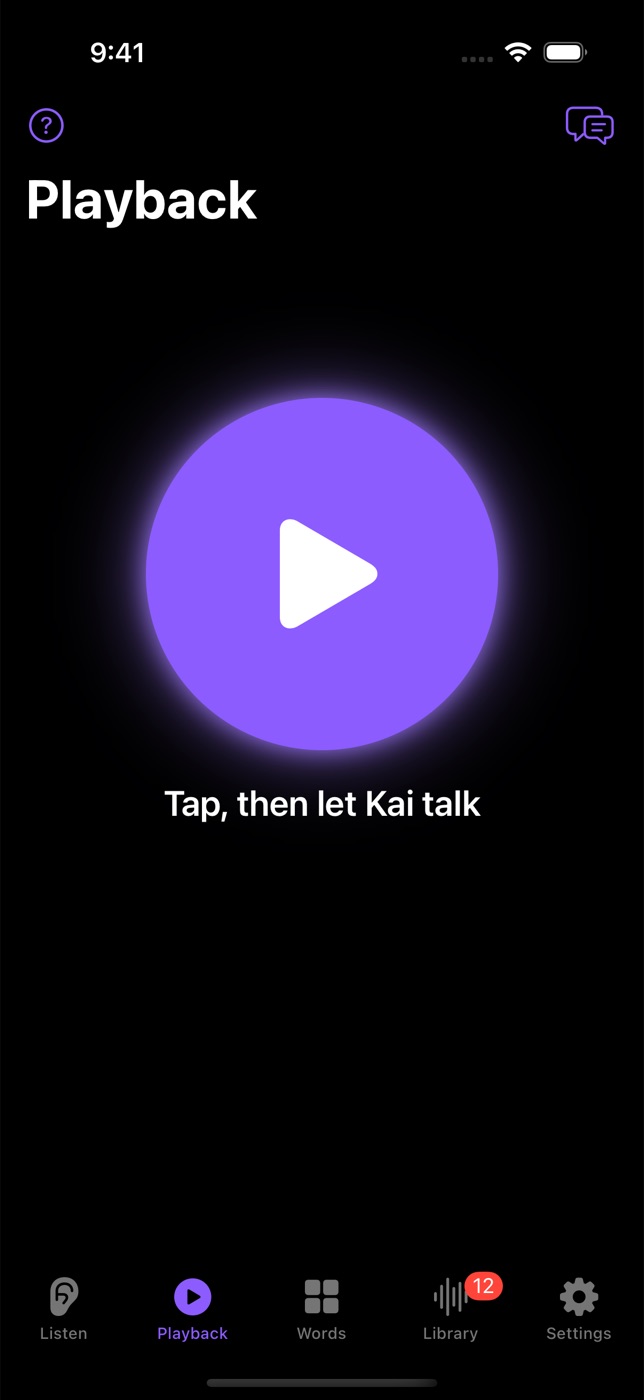
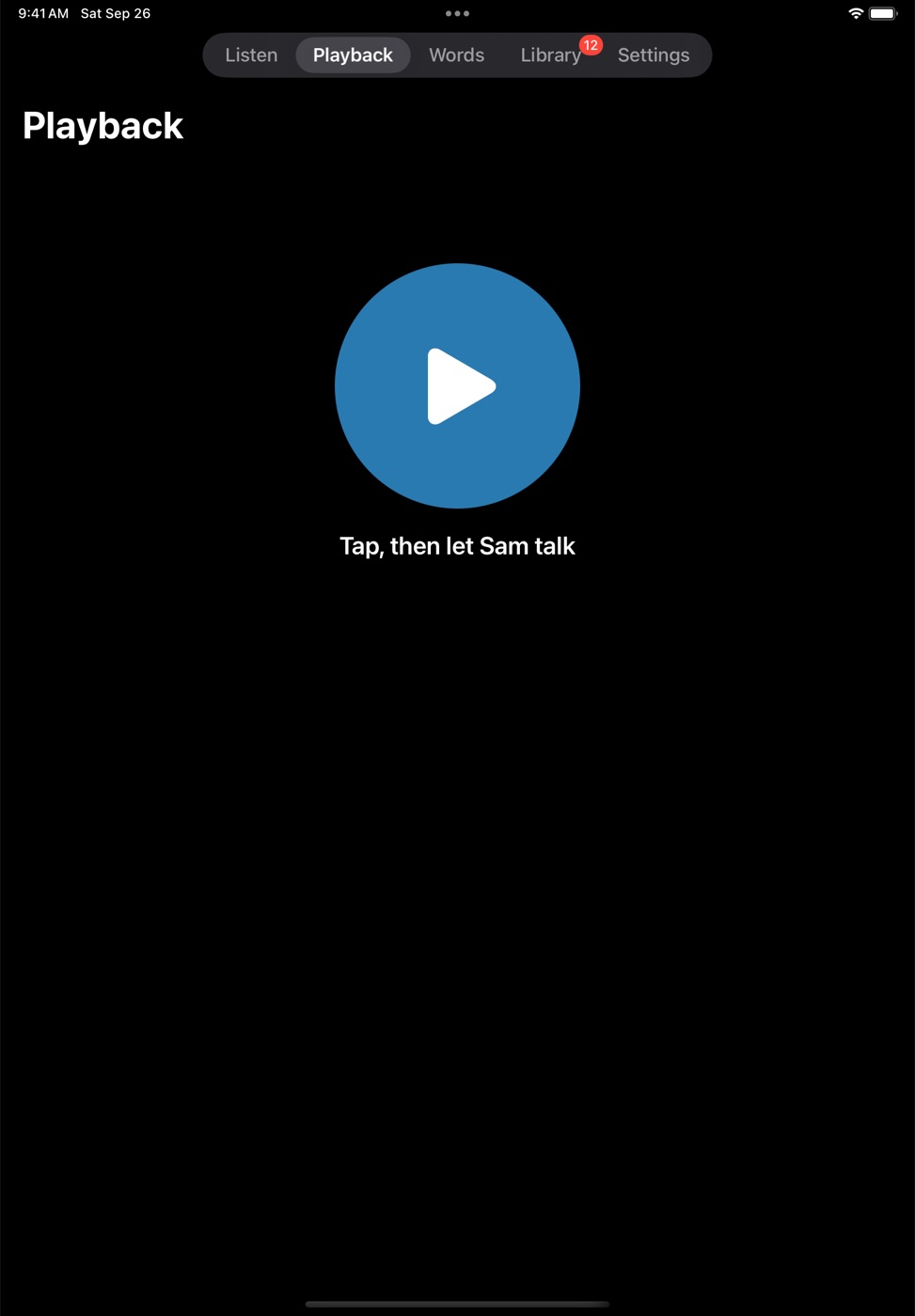
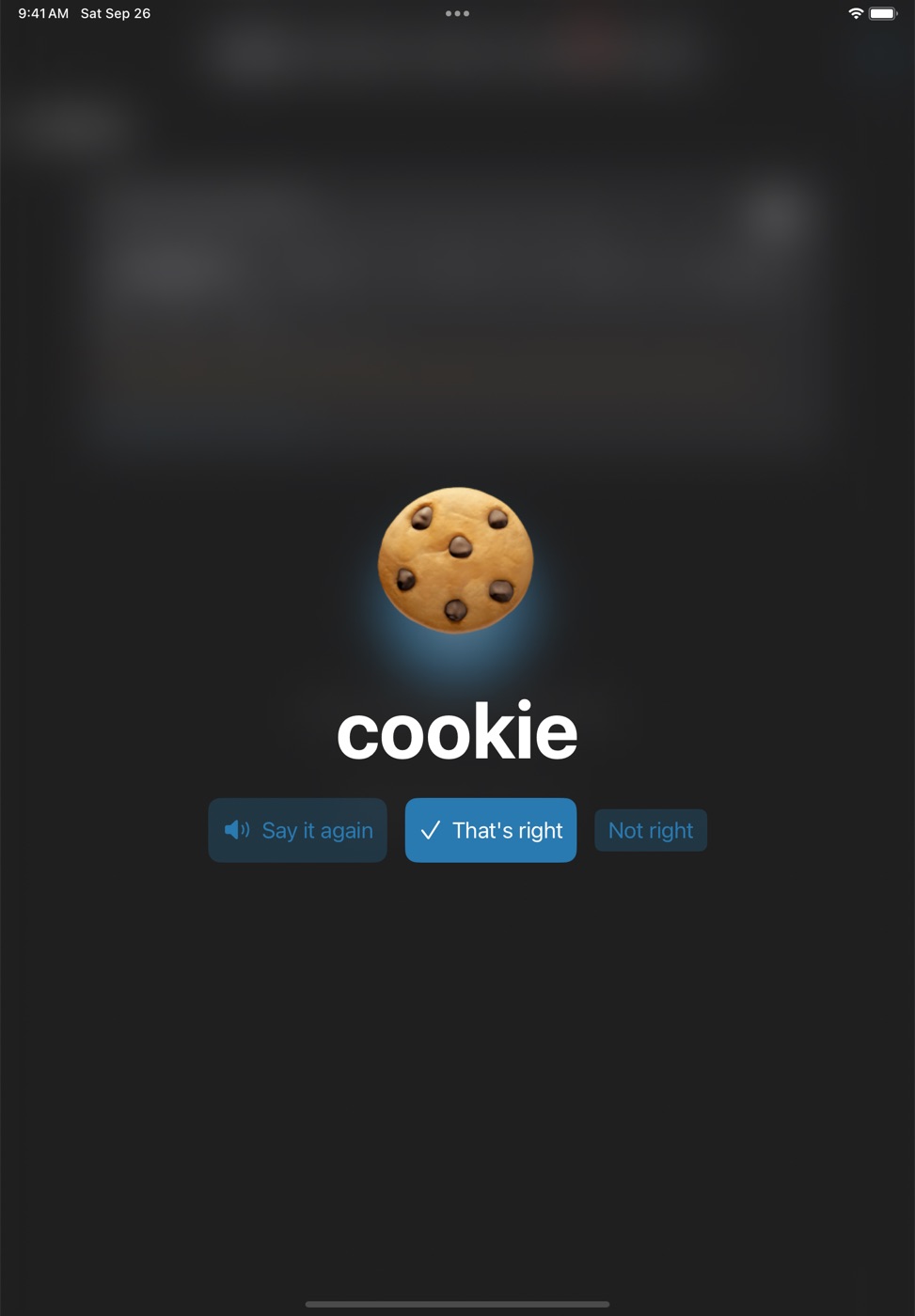
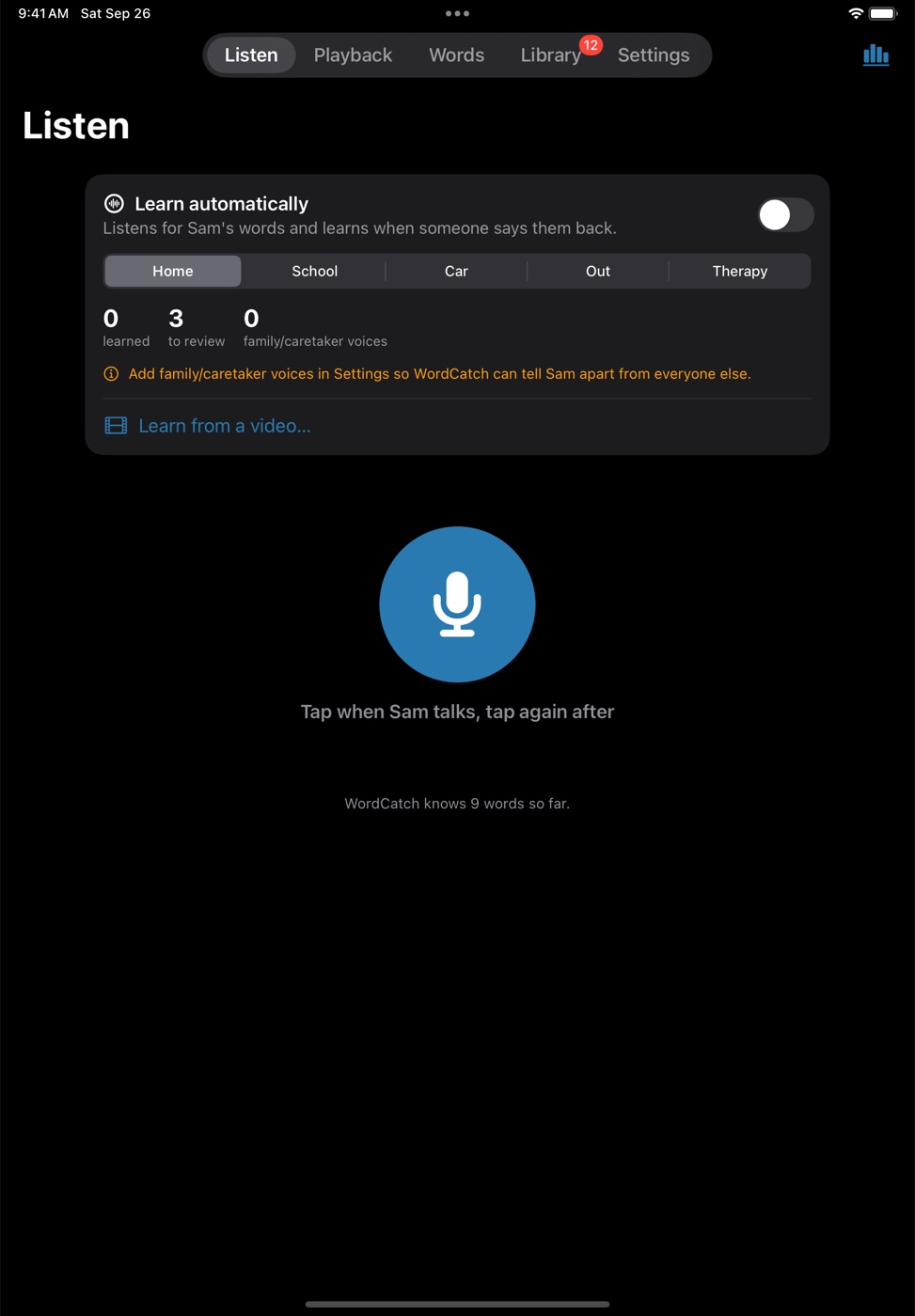
Tap the big button and let them talk. WordCatch stops by itself when they finish, shows their word big, and says it out loud in a natural voice.
Their vocabulary keeps growing.
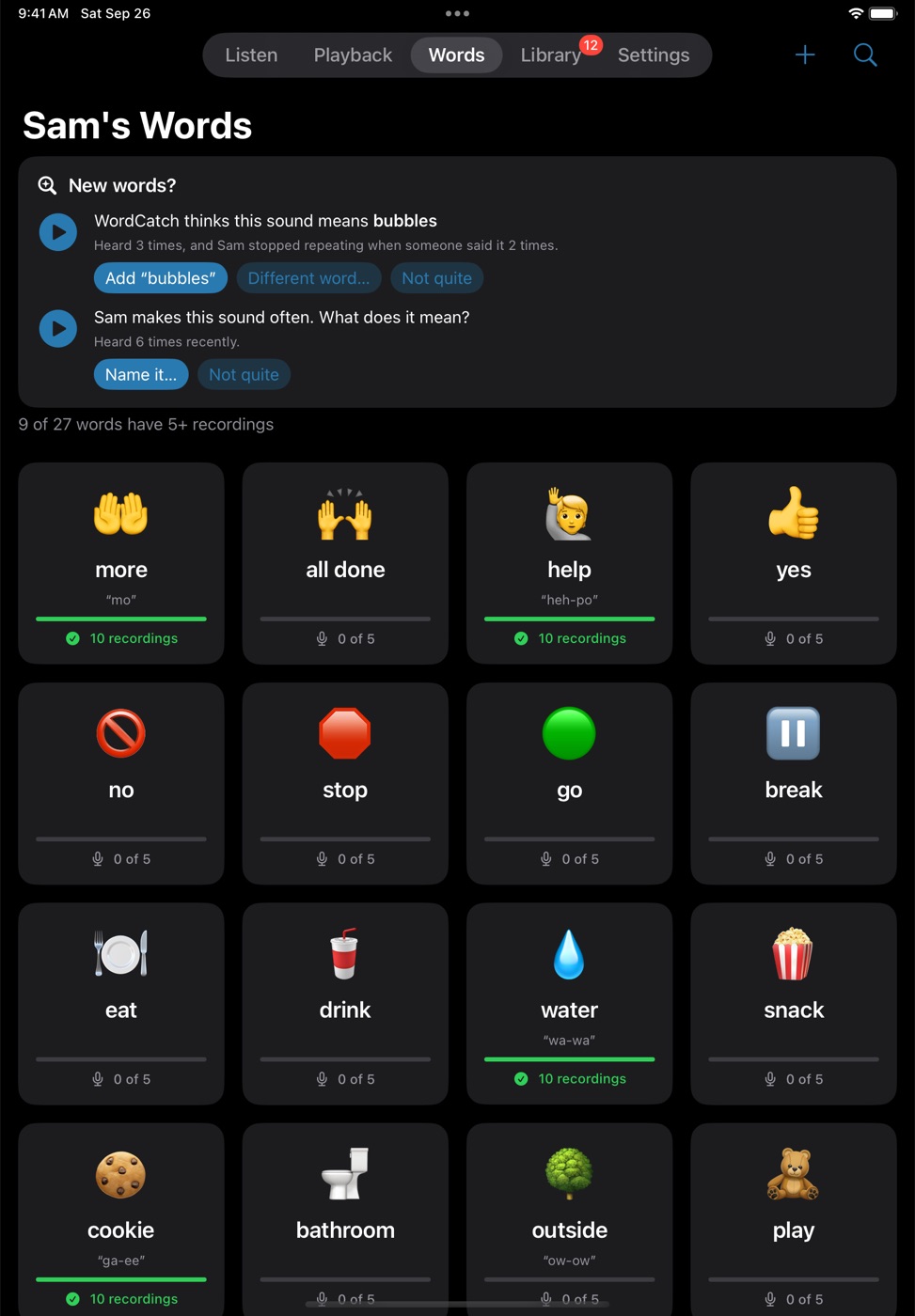
Every confirmed word teaches it. Sounds it doesn't know yet are kept, and when the same sound keeps getting the same answer, WordCatch suggests the new word.
Teach it once. It keeps learning.
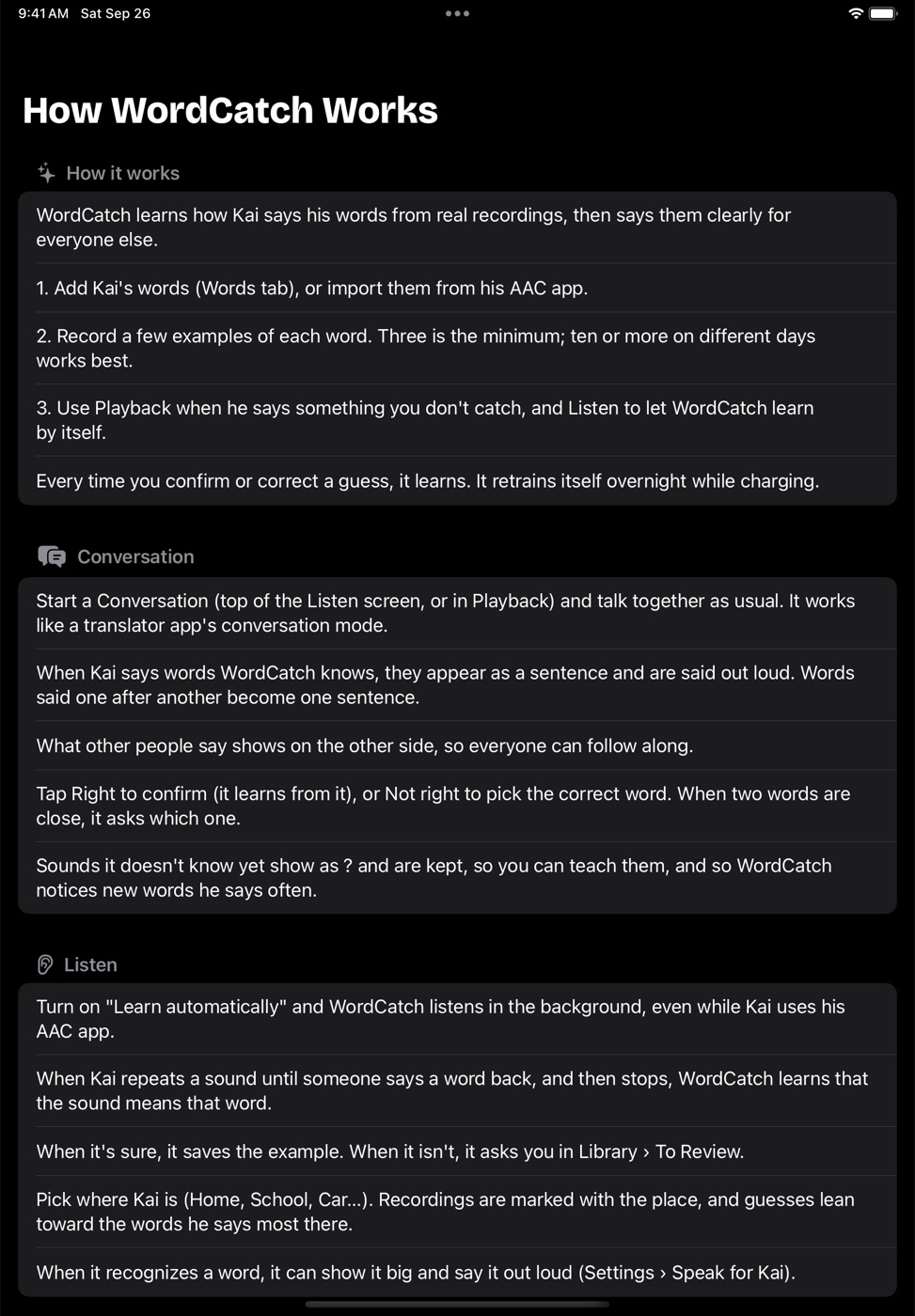
They repeat a word until someone says it back. WordCatch listens for that moment and learns from it, so the family teaches it just by talking the way they already do.
A minute with WordCatch.
It starts muted. Turn on the sound for the voice-over.
Built for one family. Ready for anyone.
Conversation mode
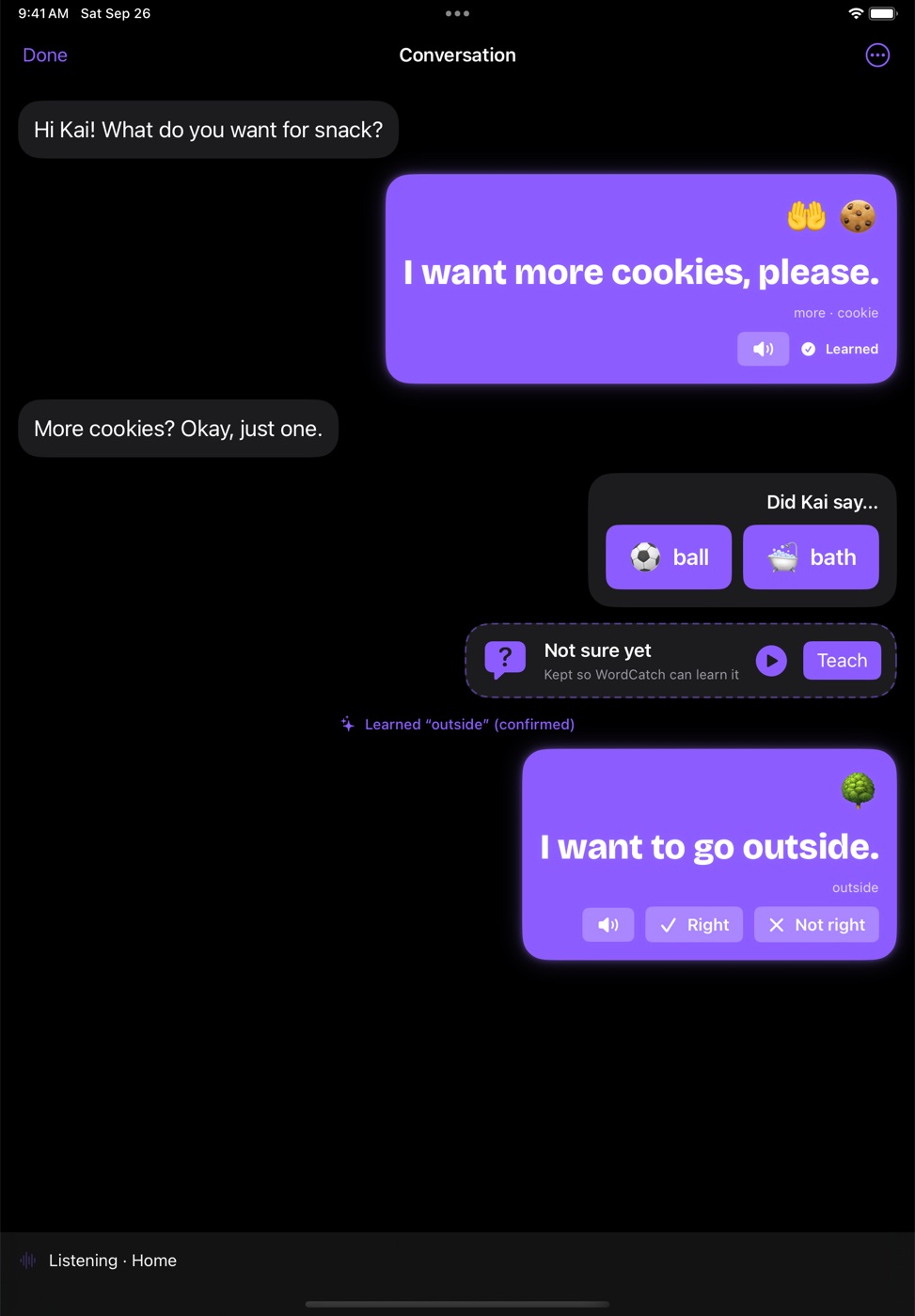
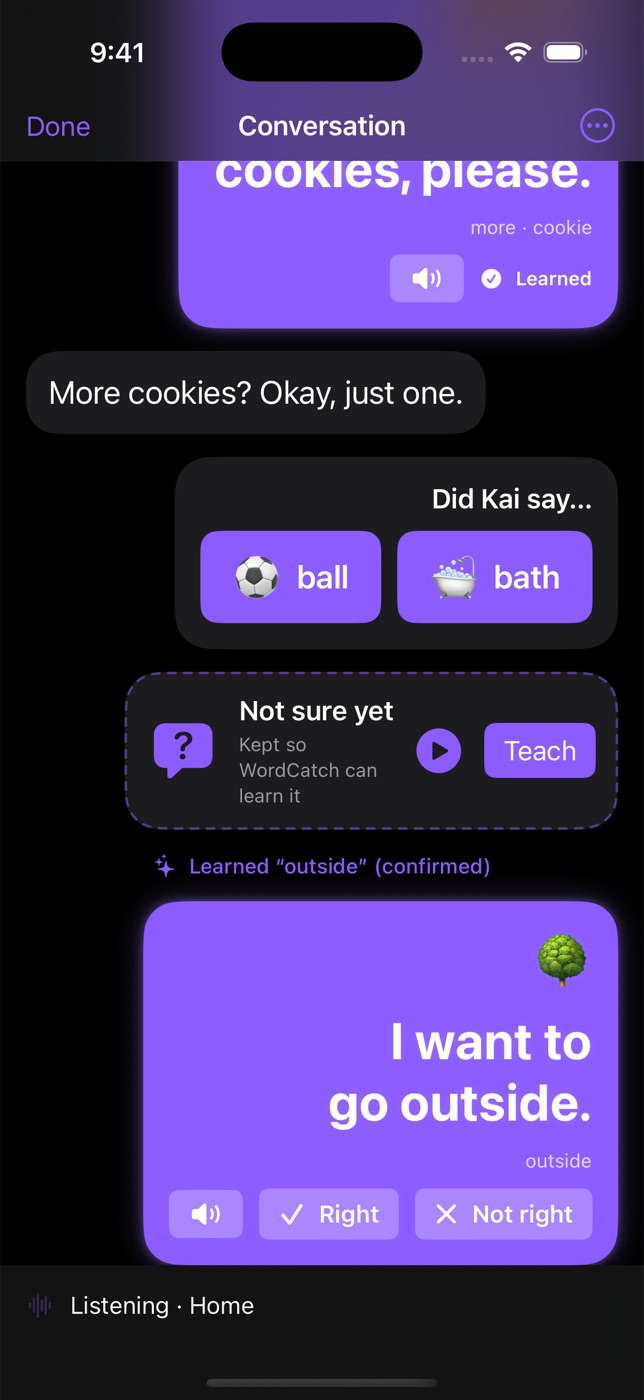
Talk as usual while their words appear as sentences and are said out loud. Words said one after another become one sentence.
What next?
After their word, big picture buttons offer what they usually say next, like “want” → cookie, outside, iPad. One tap finishes the sentence, and every tap teaches it their habits.
Finds new words
Sounds it doesn't know yet are kept. When the same sound keeps getting the same answer, it suggests the new word, so their vocabulary keeps growing.
Knows their voice
A voice model on the device tells them apart from family and caretakers, so it only ever learns from them. Add the grown-ups by reading a short passage, or pick a home video and name each voice it finds.
Speaks for them, naturally
“cookie” becomes “I want a cookie, please,” in a natural voice. Sentences are made on the device, free.
Works with their AAC
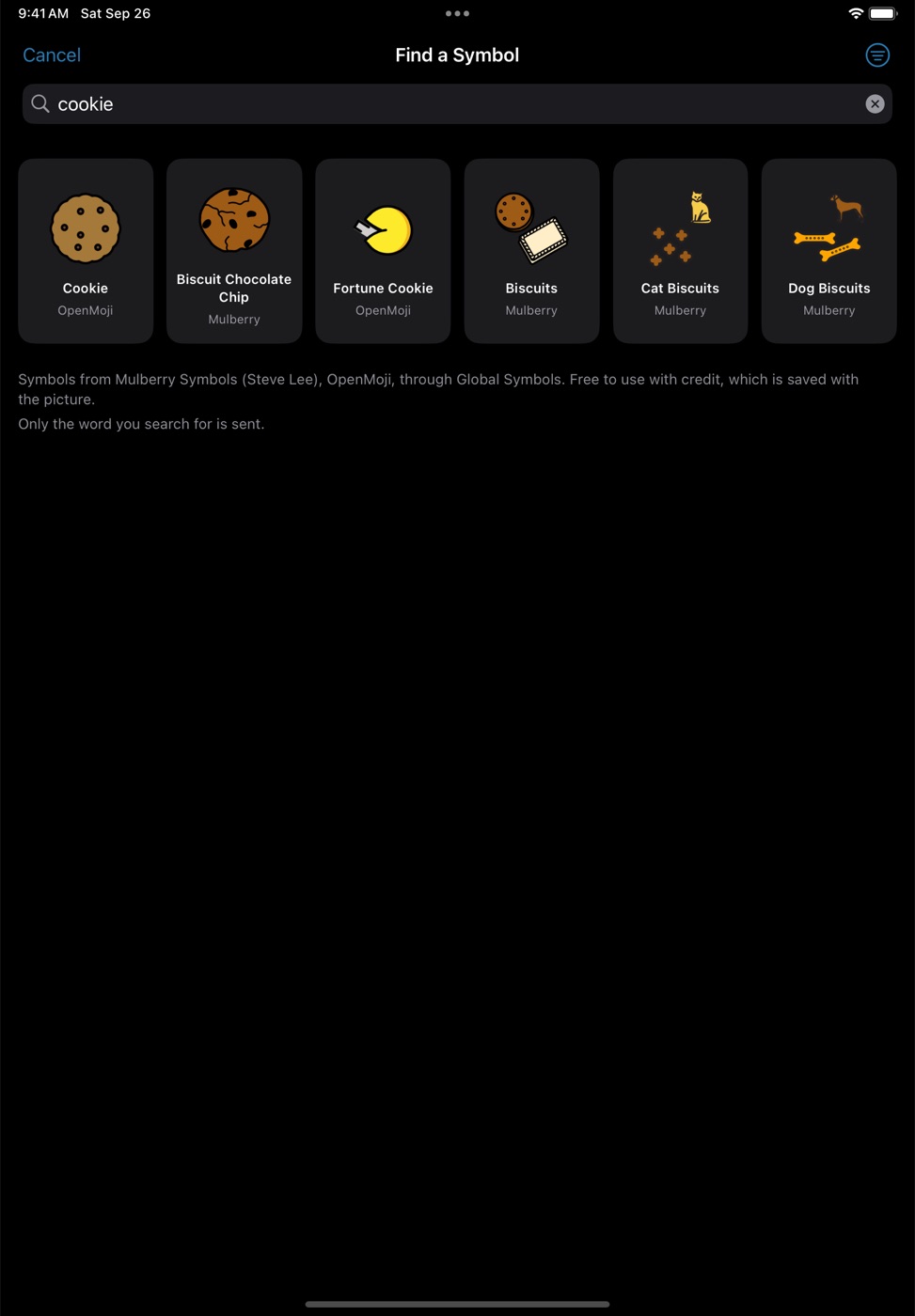
Bring in their vocabulary from Proloquo2Go screenshots, a word list, a board file or a PDF, with pictures from free symbol sets.
Share with their caretakers
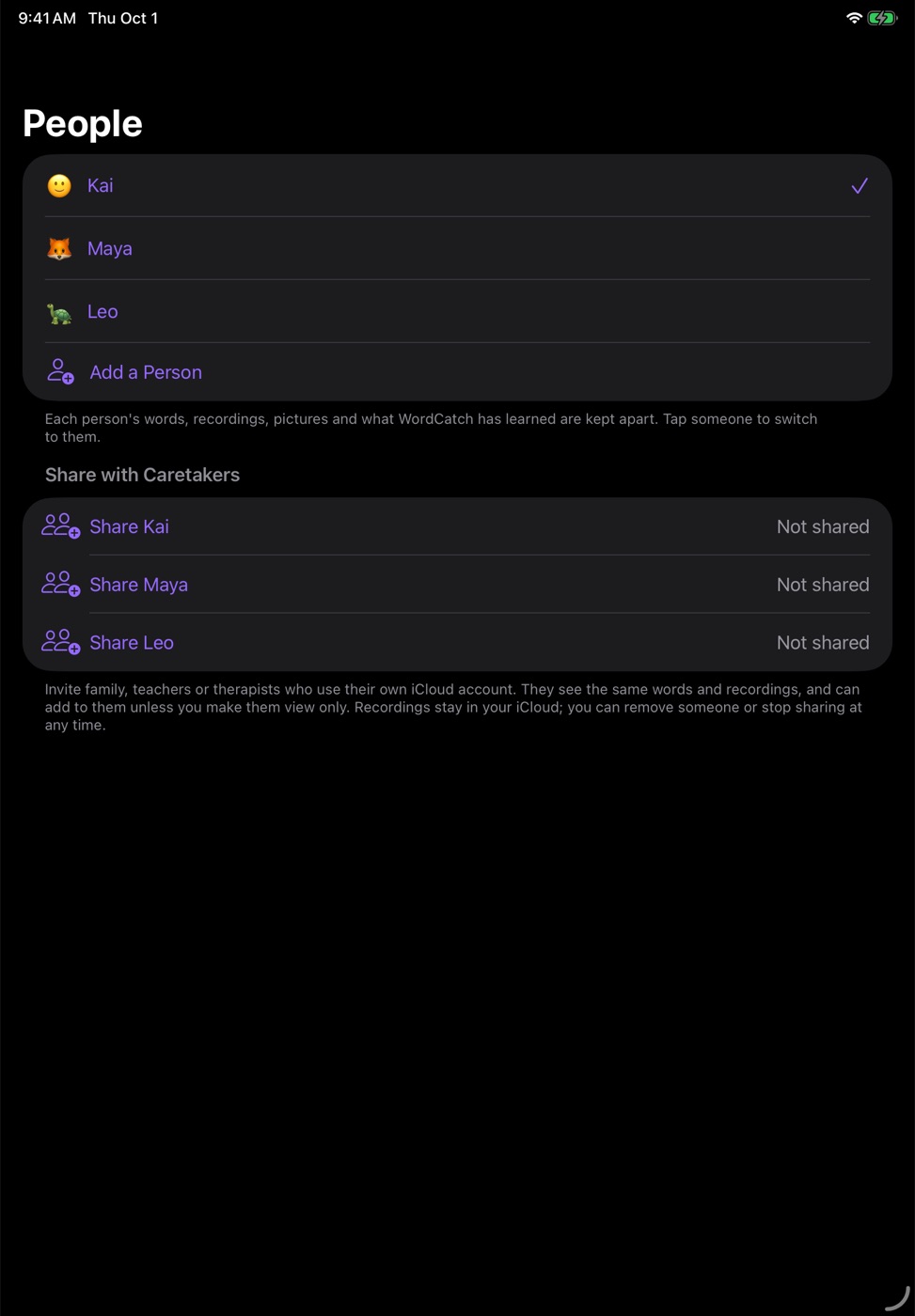
Invite the other parent, grandparents, a teacher or a therapist, each on their own iCloud account. Everyone sees the same words and recordings and can add to them, or only view. You can remove someone or stop sharing at any time.
Learn from home videos
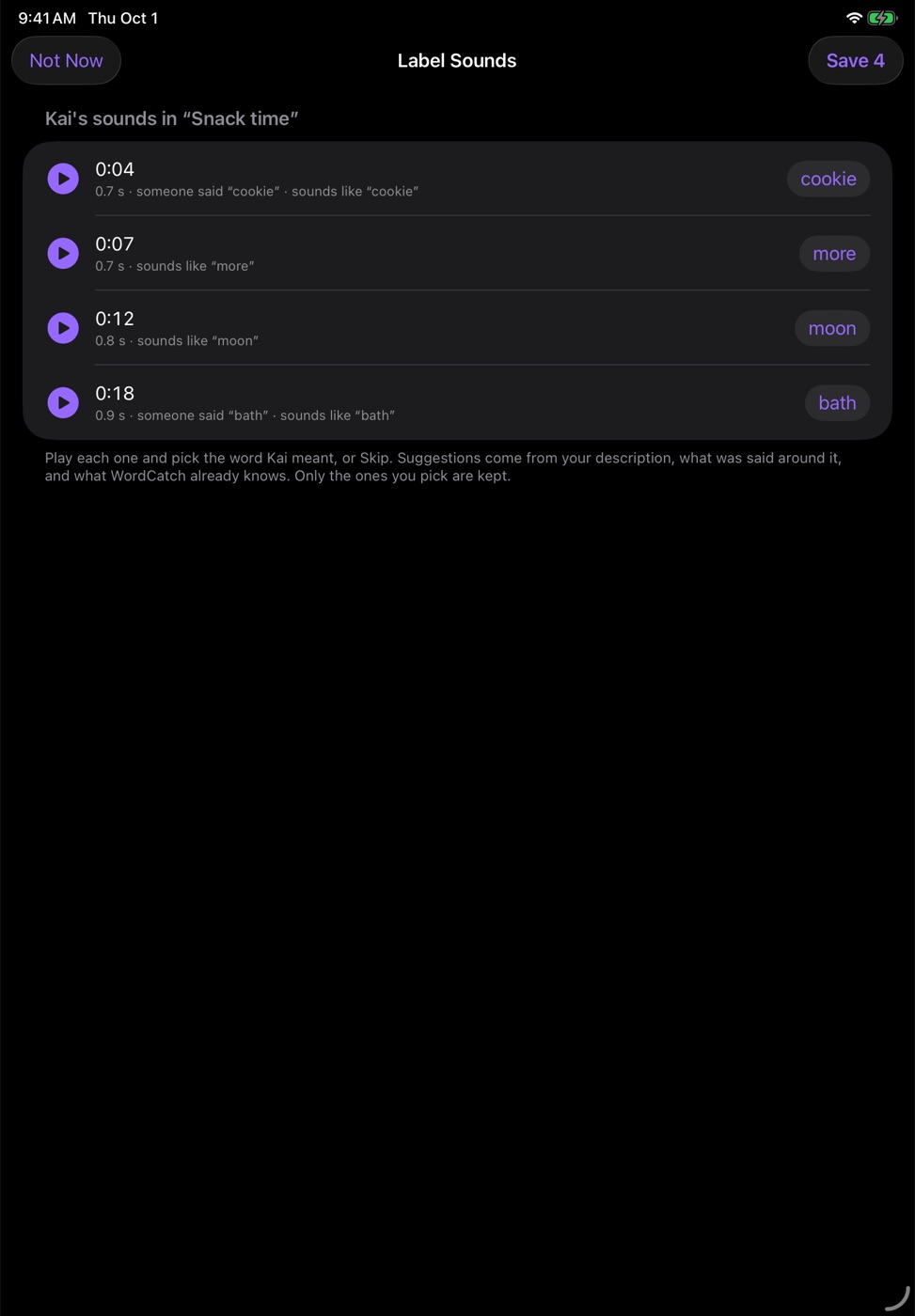
Pick a video and say in a few words what happens in it. WordCatch finds every sound they made and suggests the word for each. Play it, confirm or change it, and only what you confirm is kept.
More than one person
A family with two children, or a therapist with several clients: each person's words, recordings and learning are kept apart, and one tap switches between them.
Progress for their team
A report for their speech therapist or teacher, as a PDF or spreadsheet, with how they say each word and how well it's understood.
One app. A lot going on.
Everything WordCatch does runs on the iPhone or iPad. The core app stays small, and the bigger models are optional downloads you choose, see, and can remove any time.
Learning
- Learns from real momentsWhen they repeat a sound until someone says the word back, WordCatch learns what it means.
- Knows when it doesn't knowA sound unlike any word it has learned shows as “?” instead of a wrong guess, and is kept so it can learn it.
- Finds new wordsThe same sound answered the same way a few times becomes a suggested new word.
- Learns from home videosSay what happens in a video, then play each sound they made and confirm the word. Only what you confirm is kept.
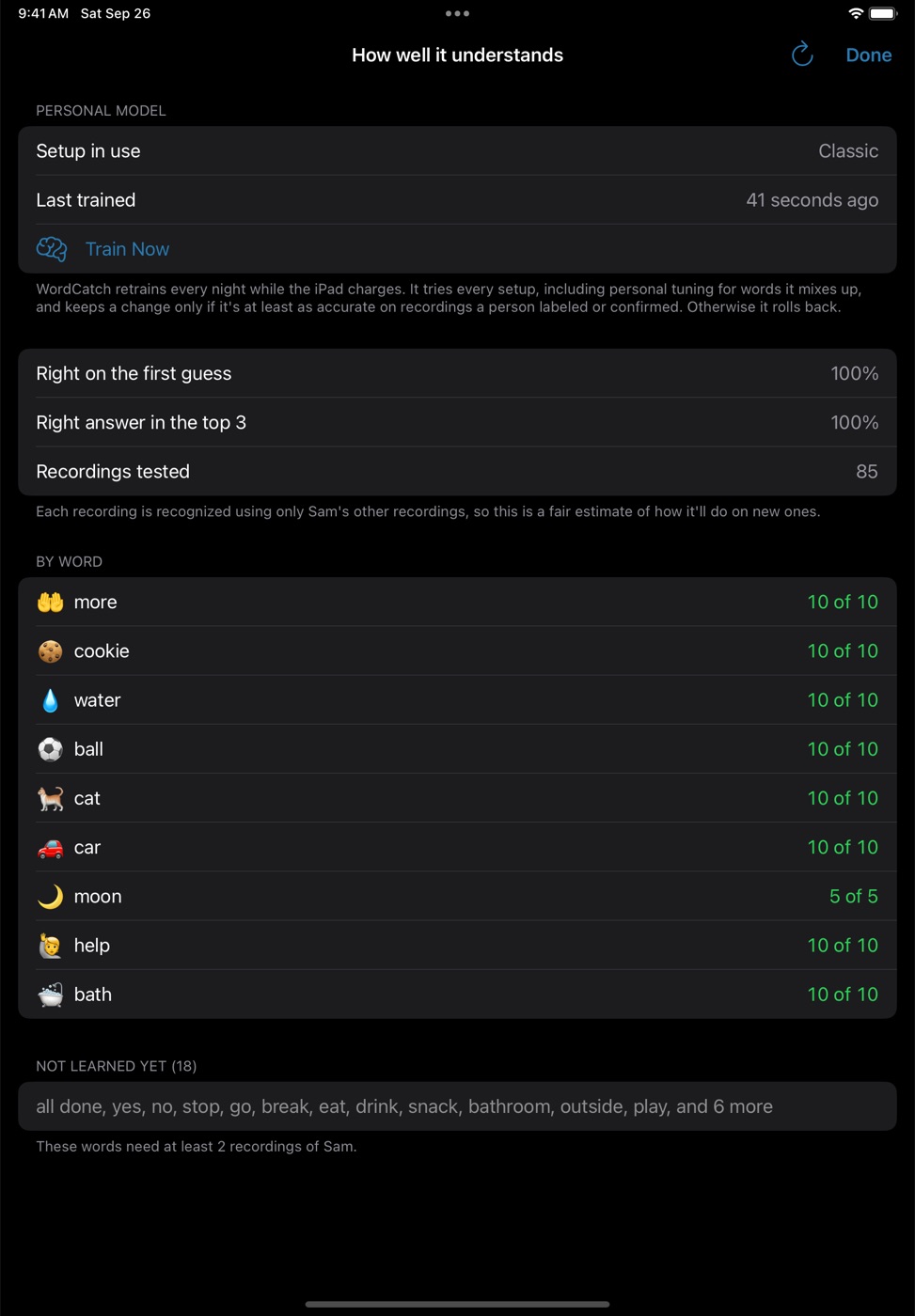
- Gets better overnightRetrains while charging, tries several setups, and keeps a change only if it's more accurate on recordings a person confirmed.
- Sound spellingsOptional: listens to each word's recordings and suggests how it's said, like “gah-ee” for cookie.
Speaking
- Full sentences“cookie” becomes “I want a cookie, please,” written on the device with Apple Intelligence, or an optional model on devices without it.
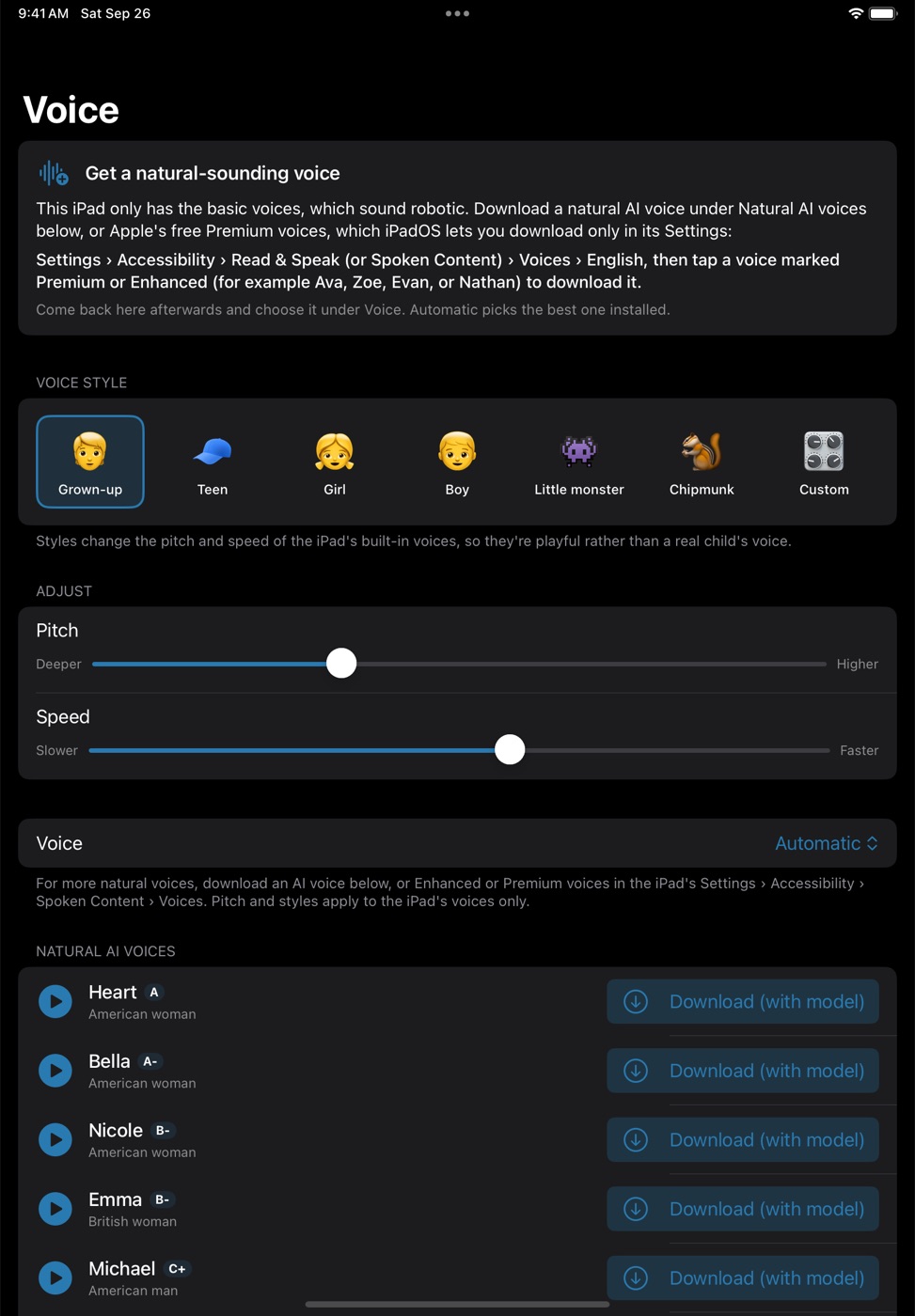
- Natural voicesHuman-sounding voices you can hear before downloading, or the voices already on the device.
- Conversation modeTalk as usual; their words appear as sentences and are said out loud, like a translator app.
- What next?Big picture buttons for the words they usually say next, so one tap finishes a sentence.
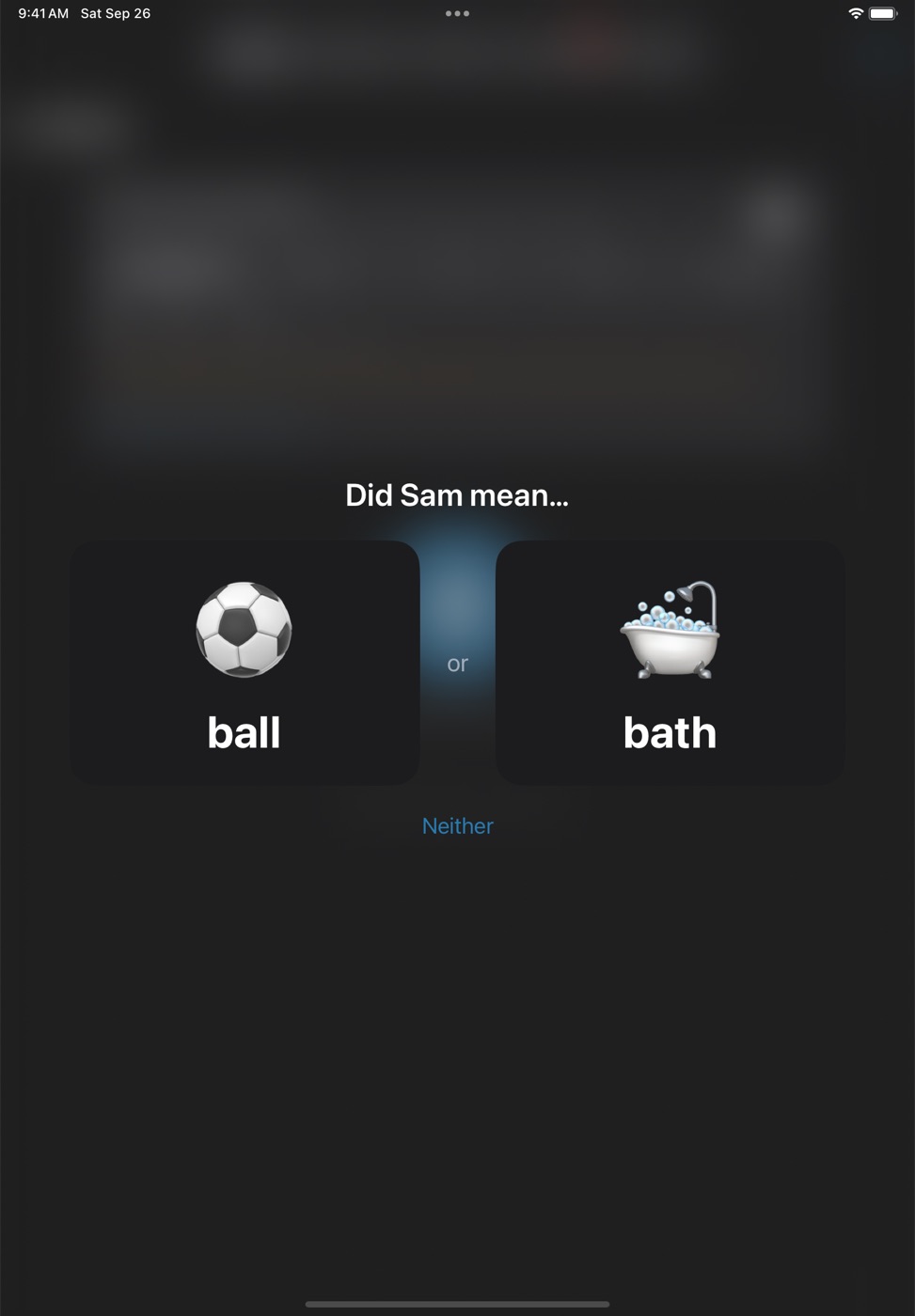
- Ball or bath?When two words are close, it asks instead of guessing, and learns from the answer.
Pictures and words
- Find a SymbolEmoji and over 2,000 of Apple's symbols, offline, plus free AAC symbol sets: Mulberry, PiCom, OpenMoji and Stellar.
- Your own photosTake a photo of the real cup or cookie; the background can be removed on the device.
- Bring in their AAC wordsFrom screenshots of their AAC app, a PDF of a board, a word list, or a board file.
- FoldersKeep a big vocabulary tidy with folders inside folders, like pages in an AAC app. One tap sorts words into Food, People, Places and more.
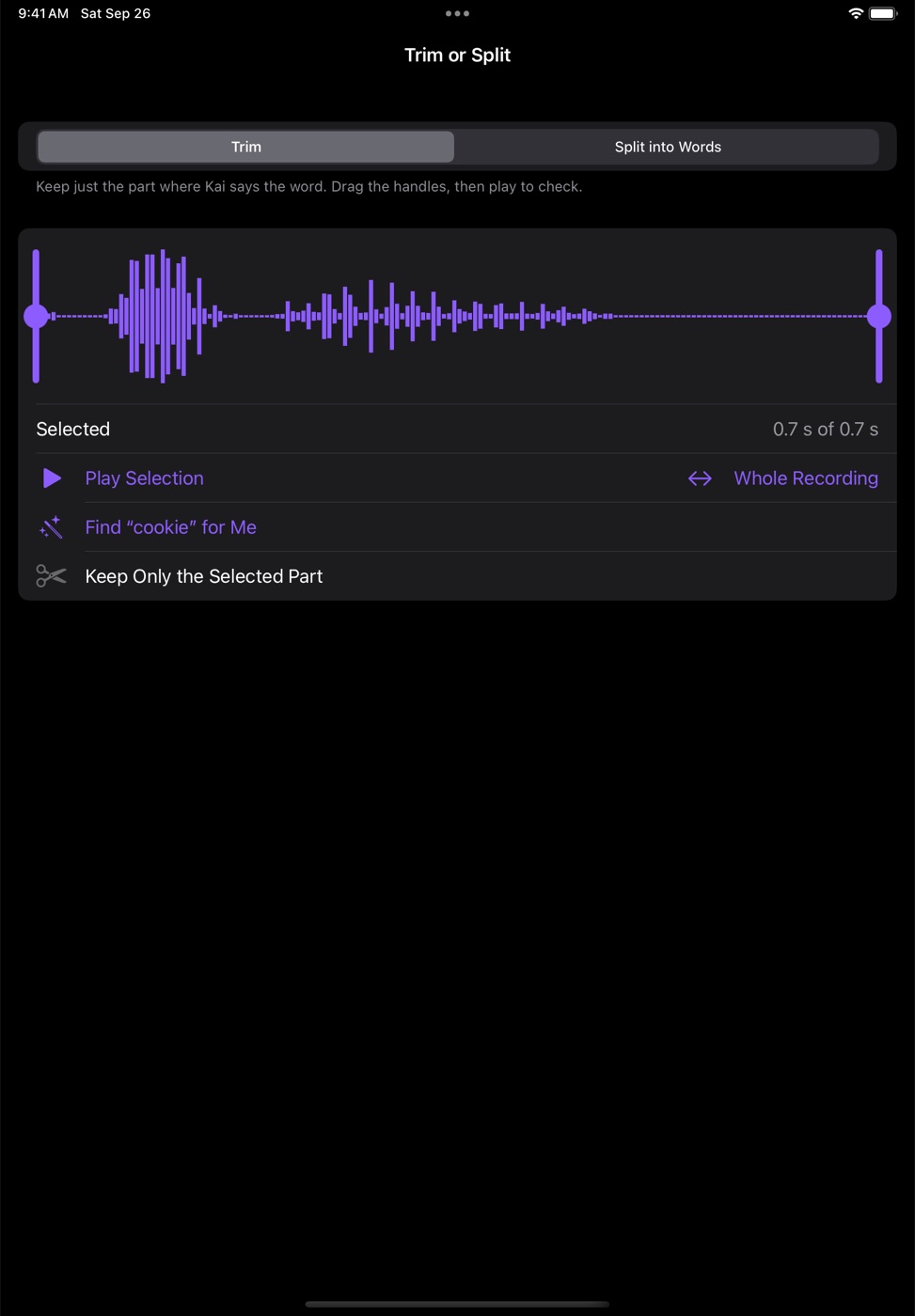
- Clean recordingsTrim a recording to just the word, or split one with several words into one each.
Family and team
- Knows every voiceFamily and caretakers read a short passage once; only a voice fingerprint is kept, never the recording.
- Voices from a videoPick a home video and WordCatch finds each person talking in it. Listen, name the ones to add, skip the rest. Their own voice is recognized and left out.
- Every device, in syncWith iCloud, their words, recordings and pictures stay the same on every iPhone and iPad signed in to your account.
- Share with caretakersInvite family, teachers or therapists on their own iCloud accounts. They can add to it, or only view. Remove anyone at any time.
- More than one personEach person's words, recordings, learning and backups are kept apart; switch with one tap.
- Progress for their teamA report for their speech therapist or teacher, as a PDF or spreadsheet.
- Help on every screenPlain-language instructions behind the “?” on each screen.
Storage and battery
- Half the space, same soundRecordings are stored in Apple Lossless: about half the size, with every sample checked to be identical.
- Archive, never deletePast 30 recordings of a word, extras can move to your backup folder, only when recognition is just as accurate without them. Restore any time.
- Backups you controlAutomatic backups of everyone on the device, to a folder you choose, such as iCloud Drive.
- Recently DeletedDeleted a recording by mistake? It's kept for 30 days and can be put back with its word.
- Easy on the batteryBackground listening pauses in Low Power Mode, on low battery, or after a quiet stretch.
Private by design
- Yours, not oursRecognition and sentences run on the iPhone or iPad. Recordings stay on your devices and, with iCloud, in your own iCloud. No sign-up, ads or tracking.
- Only their voice is keptOther people's speech becomes text on the device to spot the moment they're understood, then it's gone.
- Diagnostics you shareAn optional text-only log of guesses and answers, to help improve WordCatch. It leaves the device only if you send it.
Downloads you choose
Each one is optional, runs entirely on the device, and can be removed in Settings to free the space.
| Download | What it adds | Size |
|---|---|---|
| Speech and voice models | Hears when they finish talking and tells voices apart. Downloaded once, automatically. | about 20 MB |
| Whisper | More accurate recognition and speech-to-text, measured on their own recordings before it's used. | 75 or 150 MB |
| Natural voices | Human-sounding voices, previewed before you download. | 124 MB, then about 0.5 MB each |
| Sentence model | Full sentences on devices without Apple Intelligence. | about 700 MB |
| Sound spellings | Suggests how each word is said, from their recordings. | about 300 MB |
It stays yours.
Only their voice is kept
Other people's speech is turned into text on the device to spot the moment they're understood, then thrown away.
The AI runs on the device
Speech detection, voice recognition, their personal model and sentences all run on the iPad or iPhone. No audio is ever sent to us or to any AI service.
Your iCloud, your choice
Sync uses your own private iCloud, and sharing reaches only the people you invite. No sign-up, ads or analytics. An optional diagnostics log is text only and stays on the device unless you share it.
Try the beta.
WordCatch is in public beta, free, through Apple's TestFlight. It runs on iPhone and iPad with iOS 18 or later, works alongside AAC apps like Proloquo2Go, and what it hears and learns stays with your family: on your devices and in your own iCloud.
Open the link on your iPhone or iPad. It installs Apple's free TestFlight app, then WordCatch. Beta versions can have rough edges; your feedback shapes what comes next.